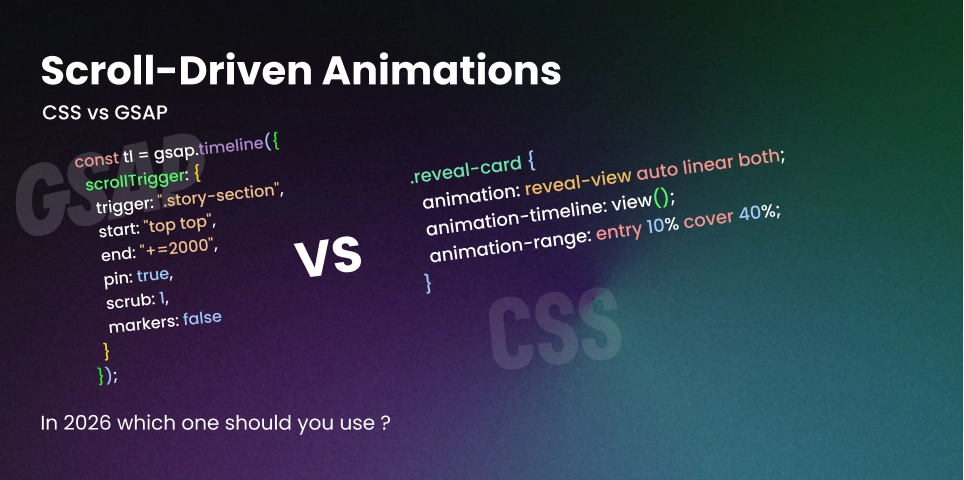
The Scroll-Driven Revolution: Native CSS vs. GSAP ScrollTrigger
For years, creating a “smooth” scroll animation meant one thing: loading a heavy JavaScript library and praying the user’s main thread wasn’t busy. Whether it was ScrollMagic in the early days or the industry-standard GSAP ScrollTrigger, we were essentially “hacking” the scroll event to drive animation frames.
In 2026, the architecture of the web has shifted. With native support for CSS Scroll-Driven Animations now fully matured, we can finally move animation logic off the main thread and into the compositor.
The Performance Gap: Why “Native” Wins
The biggest upgrade isn’t the syntax—it’s the threading model.
When you use GSAP, the animation logic runs on the Main Thread. If a heavy third-party script or a complex React re-render happens, your scroll animation will “jank” or stutter. Native CSS animations, however, run on the Compositor Thread.
Even if your JavaScript is totally blocked by a massive data-fetching operation, a native scroll-driven animation remains buttery smooth because the browser handles the transform updates independently of the script execution.
1. Scroll Timelines: Tracking the Document
The scroll() function allows you to link an animation to the scroll position of a container. You no longer need to calculate percentages in JavaScript; the browser does the math for you.
Example: The Reading Progress Bar
This is the “Hello World” of scroll-driven animations. It tracks the progress of the entire document.
/* The container that tracks the scroll progress */
@keyframes grow-progress {
  from { transform: scaleX(0); }
  to { transform: scaleX(1); }
}

.progress-bar {
  position: fixed;
  top: 0;
  left: 0;
  width: 100%;
  height: 5px;
  background: var(--accent-color);
  transform-origin: 0 50%;
  animation: grow-progress auto linear forwards;
  /* Link to the root scroll progress */
  animation-timeline: scroll(root);
}
2. View Timelines: Element-Based Reveals
While scroll() tracks the viewport, view-timeline tracks an element’s visibility relative to its container. This is the modern, performant way to build “reveal on scroll” effects.
Example: Staggered Fade-In
Instead of an IntersectionObserver, you can now declare the reveal logic directly in CSS.
.reveal-card {
  animation: reveal-view auto linear both;
  animation-timeline: view();
  /* Starts at 10% visibility, finishes at 40% */
  animation-range: entry 10% cover 40%;
}

@keyframes reveal-view {
  from {
    opacity: 0;
    transform: translateY(50px) scale(0.9);
  }
  to {
    opacity: 1;
    transform: translateY(0) scale(1);
  }
}
3. When GSAP is Still the “Nuclear Option”
If native CSS is so fast, why are we still using GSAP? Because CSS is declarative, but storytelling is often imperative. GSAP ScrollTrigger remains the king for Pinning and Scrubbing complex sequences.
Example: The “Pinned” Storytelling Section
In this scenario, we want to “lock” a section in place while the user scrolls, swapping out text and images before letting the page continue. This is nearly impossible to do cleanly in pure CSS.
import gsap from 'gsap';
import ScrollTrigger from 'gsap/ScrollTrigger';

gsap.registerPlugin(ScrollTrigger);

// Create a timeline that pins the section
const tl = gsap.timeline({
  scrollTrigger: {
    trigger: ".story-section",
    start: "top top",
    end: "+=2000", // Scroll distance for the animation
    pin: true,     // Lock the section in place
    scrub: 1,      // Smoothly follows the scrollbar with 1s catch-up
    markers: false
  }
});

tl.to(".phone-mockup", { rotation: 360, scale: 1.2 })
  .to(".feature-text-1", { opacity: 0, y: -20 }, "+=0.5")
  .from(".feature-text-2", { opacity: 0, y: 20 }, "<");
The 2026 Comparison Table
| Feature | Native CSS Timelines | GSAP ScrollTrigger |
|---|---|---|
| Performance | Compositor-driven | Main-thread |
| Pinning | Very difficult | Native & Robust |
| Scrub Smoothing | No (Instant 1:1) | Yes (Elastic catch-up) |
| Complex Logic | Hard (Keyframe hacking) | Easy (Timeline/Callback) |
| Best For | Progress, Reveals | Interactive stories |
The “Motion-Safe” Responsibility
Accessibility isn’t an option. Always wrap your scroll effects in a check for user preferences.
// src/components/MotionWrapper.astro
<div class="motion-content group">
  <slot />
</div>

<style>
  @media (prefers-reduced-motion: no-preference) {
    .motion-content {
       animation-timeline: view();
       animation-name: reveal-effect;
       animation-range: entry 10% cover 30%;
    }
  }
</style>
Final Thoughts
In 2026, the “Expert” approach is hybrid. Use Native CSS for your UI scaffolding—things that must be smooth like progress indicators and simple entrance reveals. Save GSAP for the “Hero” experiences that need to wow clients with complex, physics-based state sequencing and pinned storytelling.